Salesforce Open CTI is Retiring in Feb 2028. Start planning early with a Free Assessment!

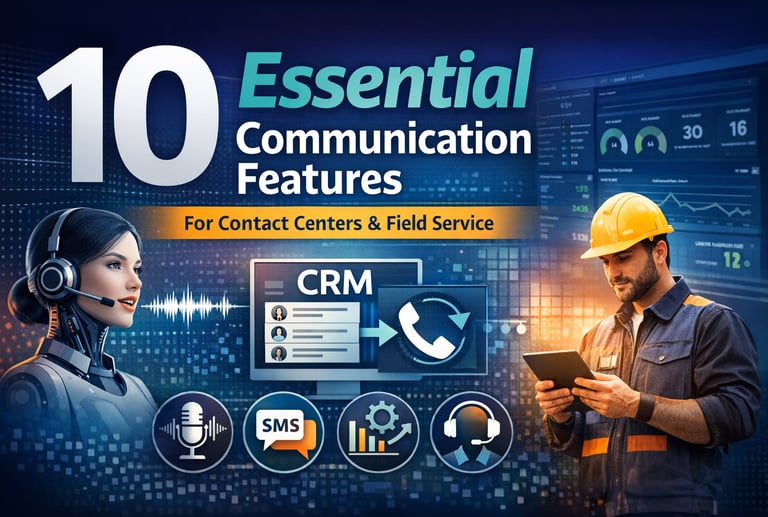
10 Communication Features Modern Contact Centers and Field Service Teams Can’t Afford to Ignore
Modern contact centers and field service teams need more than basic phone service. This article explores 10 essential communication features that improve customer experience, agent efficiency, mobility, and operational visibility. From traditional tools like call recording and outbound dialing to newer capabilities like AI voice agents and real-time coaching, we break down what matters most and how these features continue to evolve.
CXGENERAL INFORMATIONSALESFORCECCAAS
4/7/20268 min read
There was a time when choosing a business communications platform mostly meant comparing phone systems, pricing, and basic call routing. That time is over.
Today, contact centers and field service departments need communication technology that can connect conversations, customer data, mobility, automation, and operational visibility into one experience.
The modern platform is no longer just a dial tone. It is part command center, part workflow engine, and increasingly, part AI assistant.
Salesforce’s service stack now centers interactions across channels, while major CCaaS platforms have expanded into transcription, analytics, AI, messaging, automation, and extensibility.
That shift matters because service expectations have changed.
Customers want fast answers, channel flexibility, and fewer handoffs.
Agents need context without digging through multiple screens.
Supervisors need real-time visibility, not end-of-week reports.
Field service technicians need mobile-first tools that still work when connectivity is weak.
In other words, the right communications platform is now part of your customer experience strategy and part of your operational architecture.
1) Intelligent Self-Service: From IVR Menus to AI Voice Agents
Traditional IVR used to be about basic call deflection: “Press 1 for billing, press 2 for support.”
That model still exists, but modern self-service has evolved well beyond simple keypad routing.
Today’s voice platforms can identify intent, validate information, route based on customer context, and increasingly let AI-powered voice agents handle full interactions instead of just triage.
Salesforce describes AI contact centers as systems that use AI across calls and digital interactions, while Genesys now positions virtual agents as being able to plan and execute multi-step tasks across systems with governance and escalation paths.
For contact centers, this means self-service can move from “menu navigation” to actual issue resolution. A customer can call to check an order status, make a payment, confirm an appointment, or start a claim without waiting for a human.
For field service organizations, the use case is just as powerful: an inbound caller can be authenticated, asked about an equipment issue, offered available appointment windows, and routed only if a live dispatcher is truly needed.
The feature itself is not brand new, but its modern form absolutely is. IVR has evolved from a routing tool into a service layer, and AI voice agents are quickly becoming the next major step.
2) Deep CRM Integration
CRM integration used to mean a softphone widget and a screen pop. That is no longer enough.
A modern contact center needs communications embedded directly into the customer record, the agent workspace, and the service workflow.
Salesforce describes Service Cloud Voice as a fully integrated voice experience in Salesforce, and its CRM guidance emphasizes centralizing customer interactions and records across channels.
That is the real goal: agents should not have to toggle between a phone tool, a ticketing system, and a CRM just to understand who is calling and what happened last time.
When CRM integration is done well, incoming calls can trigger screen pops, call data can attach to cases or work orders, transcripts can become part of the record, and automation can guide next actions.
In field service, that can mean a technician or dispatcher sees asset history, warranty information, prior visits, photos, and scheduling status while talking to the customer.
In a contact center, it means less swivel-chair work, faster resolutions, and better continuity across channels. This is a traditional feature, but expectations have matured. What used to be a convenience is now foundational.
3) Call Recording, Transcription, and Conversation Intelligence
Call recording used to be primarily about compliance and dispute resolution. You recorded calls, stored them somewhere, and maybe reviewed a few each month for QA.
Modern platforms have changed the value of recorded interactions by pairing them with searchable playback, transcription, sentiment, and analytics.
Salesforce documents both call recordings and real-time transcription in Service Cloud Voice, while Genesys positions speech and text analytics as a way to understand customer needs, behaviors, and trends across interactions.
This evolution is huge. A supervisor no longer has to guess where service friction is happening. They can search transcripts for escalation language, long silence periods, policy violations, or repeated complaints.
A field service manager can review calls related to missed appointments, misquoted ETAs, or customer dissatisfaction after onsite work.
A service leader can identify whether the issue is process failure, training gaps, or a product problem.
Recording is traditional. Transcription is more modern. Conversation intelligence is where the strategic value really starts to accelerate.
4) Mobile Apps for Distributed and Field-Based Teams
A contact center feature list that ignores mobility is already outdated.
Communication tools now have to support not just desk-based agents, but dispatchers, technicians, salespeople, and managers who work across locations.
Salesforce’s Field Service mobile app is designed as offline-first, with support for working when connectivity drops and syncing later. That is a major distinction for field service teams, because real work often happens in basements, rural areas, industrial buildings, and job sites with inconsistent service.
The use cases are practical and high impact.
A technician should be able to call or message a customer, view the work order, review notes, capture signatures, check parts, and update status from a company-issued or personal device without breaking the workflow.
A manager should be able to monitor activity from mobile when they are not at a desk. This feature is not new in concept, but it has evolved from “softphone on a smartphone” into true workflow mobility.
For field service especially, mobile communications now need to be tightly connected to scheduling, customer history, and offline productivity.
5) SMS and Asynchronous Messaging
Voice still matters, but many customers would rather text than wait on hold.
Messaging is now a core communication feature, not a side add-on.
Salesforce documents Service Cloud Messaging as a richer conversation experience for customers, agents, and supervisors, and its SMS setup allows reps to respond with text and images.
Twilio’s messaging APIs likewise support sending and receiving SMS, MMS, and WhatsApp while tracking delivery and managing replies at scale.
For contact centers, messaging works well for appointment reminders, shipping updates, issue follow-ups, payment links, and quick service questions that do not require a live call.
For field service, SMS can reduce no-shows, confirm technician arrival windows, and let customers send photos before or after a visit.
This is a feature that feels modern because adoption has expanded so quickly, but it is really the evolution of customer communications toward asynchronous convenience.
The best platforms do not treat SMS as separate from service history. They make it part of the same customer timeline.
6) Outbound Dialers, Call Lists, and Voicemail Drops
Outbound communications are still essential for collections, renewals, appointment reminders, patient outreach, recall campaigns, lead follow-up, and proactive customer care.
The traditional version was a static call list and manual dialing.
Modern outbound systems now include predictive or guided campaign tools, multi-step journeys, answering machine detection, and performance dashboards. Amazon Connect, for example, supports outbound campaigns, multi-step journeys, and answering machine detection states such as human answered, voicemail with beep, voicemail without beep, and unanswered.
That is where voicemail drops become more valuable. Instead of agents spending time repeating the same message, systems can detect voicemail outcomes and support prebuilt message strategies or retry logic.
AWS even documents voicemail-specific branches and examples for appointment reminders.
For field service, outbound automation can confirm appointments, notify customers that a technician is en route, or follow up after a repair. For contact centers, it increases efficiency and consistency.
This feature is traditional at its core, but modern outbound operations are much smarter, much more measurable, and much more compliance-aware than the old “power dialer and hope for the best” model.
7) Live Supervisor Dashboards and Operational Analytics
Supervisors need more than yesterday’s reports.
Modern service operations require real-time visibility into queues, calls, agent states, handling times, wait times, and service bottlenecks.
Salesforce notes that supervisors can see incoming and current calls and digital conversations as they happen, while Amazon Connect provides real-time metrics, dashboards, and alerts that can point managers to queues or routing profiles exceeding thresholds.
This matters because operational issues do not wait for a weekly meeting. If hold times are spiking, a queue is backing up, or a particular team is struggling with a new workflow, leadership needs to act immediately.
In field service, the equivalent is visibility into appointment volume, response status, technician availability, and emerging service bottlenecks.
Analytics is not a brand-new idea, but the shift from backward-looking reporting to live operational control is one of the most important evolutions in service technology.
8) Live Call Monitoring, Whisper, Barge, and QA Controls
Listening to calls for quality purposes is old-school contact center management.
Doing it live, inside the primary service console, as part of a coaching or escalation workflow is much more modern.
Salesforce documents live supervisor monitoring features such as listen-in and barge-in from Command Center for Service and Omni Supervisor, and similar capabilities exist across other enterprise platforms.
The use cases are straightforward but powerful. A new agent can get help during a difficult billing call. A supervisor can silently monitor a sensitive customer complaint before deciding whether to join.
A field service dispatcher can intervene if a customer call about an onsite issue is going sideways and needs escalation.
This feature is not flashy, but it is still one of the most practical. In many organizations, it remains one of the fastest ways to protect customer experience and coach employees in real time instead of after the damage is done.
9) AI Real-Time Coaching and Agent Assist
If AI voice agents are changing self-service, AI coaching is changing the live-agent experience.
NICE describes real-time agent assist as AI-driven live guidance during customer interactions, including intent and sentiment analysis, recommendations, and coaching for tone, empathy, accuracy, and resolution quality.
Salesforce’s current coaching guidance also frames modern coaching as something that spans voice, messaging, escalations, and collaboration with AI agents.
This is one of the newer must-have features on the list. In practice, AI can surface knowledge articles during a call, suggest next best actions, summarize the conversation, flag compliance language, or prompt an agent to slow down and clarify.
In field service, it can help a dispatcher or support rep guide a technician or customer through troubleshooting before a truck roll is required.
The important point is that AI coaching should support humans, not just score them. The best implementations reduce cognitive load and help newer employees perform more like veterans.
10) APIs, Webhooks, and Extensibility
No matter how feature-rich a platform looks in a demo, real-world service operations almost always need customization.
Modern communication stacks must expose APIs, events, and developer tooling that let teams integrate with CRM, ticketing, scheduling, billing, identity, and analytics systems.
Salesforce provides a Service Cloud Voice Toolkit API and telephony integration APIs for managing voice interactions within custom experiences.
Amazon Connect exposes APIs and near real-time contact events, and providers like Aircall support webhooks that can trigger external workflows when calls or messages occur.
This is where communications technology becomes a true business platform.
A missed-call event can create a case.
A completed service call can launch a survey.
A voicemail can kick off a triage flow.
A customer text can update a work order.
A live contact event can feed a dashboard or notify Slack.
APIs are not brand new, but they have become far more important because service organizations now expect their communications layer to participate in automation instead of sitting beside it.
The vendors that win long term are usually the ones that can be adapted to the business, not the ones that force the business to adapt to the software.
The Feature That Ties It All Together: Reliability and Call Quality
There is one more point worth making: none of these features matter if the core calling experience is unreliable.
Modern communication platforms still live or die by audio quality, uptime, and network readiness. Cisco’s Webex documentation emphasizes testing network readiness and monitoring media-quality factors like latency, jitter, and packet loss, because those variables directly affect the voice experience.
That is why buyers should never get distracted by AI headlines alone. The real evaluation needs to ask harder questions.
How strong is the call quality?
How flexible is the routing model?
How well does the platform integrate with CRM and field workflows?
How capable is the mobile experience?
How mature are the APIs?
How actionable are the analytics?
How fast can supervisors intervene when things go wrong?
Modern contact centers and field service departments do not just need more features. They need the right mix of foundational reliability, operational visibility, and intelligent automation.
The best communications platform for your business is not necessarily the one with the most features on a pricing sheet. It is the one that best supports your service model, your customer expectations, your Salesforce strategy, and your team’s operational reality.
If your organization is evaluating contact center, field service, or customer communication technology, CommCorrect can help.
We work with Salesforce customers to define requirements, compare providers, and choose solutions that fit their business, budget, and long-term service strategy.
Contact CommCorrect to schedule a free assessment and make your next technology decision with more clarity and confidence.


CommCorrect Technologies, LLC
5233 Driscoll Court, Orlando, FL 32812
© 2026 CommCorrect Technologies, LLC. All rights reserved.